Bluetooth is not supported on Windows XP natively. The Windows Bluetooth software is available from Microsoft update or service pack. However, it isn't ease to use. It takes a form of wizard-like. Everytime user has to go thur 5 or 6 steps to transfer a file. It's just no good to those who need Bluetooth frequently.
Many Bluetooth doogles come with a satellie-like Bluetooth software. The software has a graphical interface. Bluetooth devices are list around a core, which represents the PC. The orbit is capable of around 10 devices. It should be more than enough for regular users. However, it isn't so to us, who has over 30 devices on the list. We have to scroll the orbit everytime and connect the devices before selecting target files.
The best Bluetooth software I ever use is the verions 1.4.10. So far, besides some unknown brand Bluetooth doogles, I already knew that Belkin and Billition's PCMCIA Bluetooth (version 1) come with it. Besides a regular GUI, it also intergrated into the right-click menu, under Send to option. Furthermore, the shortcuts in Send to option can be used as DOS command. Therefore, I can write a DOS command in a batch file and run jobs in batch mode quickly.
The new version of PCMCIA Bluetooth 2 from Billition will come with a new software from Toshiba. I wonder if it can be used as if the version 1.4.10.
Saturday, February 04, 2006


Friday, February 03, 2006
Red Hat Linux 8.0 Part III
尋日放工回家就繼續裝Linux,食完飯差唔多裝完,太好了,終於boot入GNOME。之後猛睇documents,煲左三個chapters又搞左好耐終於上到網。部機屬於輕巧型(當年),所以連network卡都係要另外用PCMCIA加上去。
好,今日繼續睇Linux既GSG... Getting Started Guide
好,今日繼續睇Linux既GSG... Getting Started Guide
Tuesday, January 31, 2006
Red Hat Linux 8.0 Part II
尋日關機時發現一句很怪的comment:
Open Linux
我想,Red Hat Linux無法成功啟動GUI或許和這個有關,所以今日晚飯後就即刻再裝多一次,今次所有partition都format一次,partition分佈很奇特:1GB, 300MB SWAP, 15MB free, 4GB,中間15MB是bad sector,萬萬不能用,format都無效,因為一format到那個位置,部機就會死下死下,之後reboot。
今次選擇將個linux裝響頭果1GB,所以只裝最基本既野。但係咁都要40分鐘先裝完,唉,部機真係慢。
今次終於成功BOOT得起個GUI,用既係GNOME。以前未用過,要學下先。希望可以上手啦。
Open Linux
我想,Red Hat Linux無法成功啟動GUI或許和這個有關,所以今日晚飯後就即刻再裝多一次,今次所有partition都format一次,partition分佈很奇特:1GB, 300MB SWAP, 15MB free, 4GB,中間15MB是bad sector,萬萬不能用,format都無效,因為一format到那個位置,部機就會死下死下,之後reboot。
今次選擇將個linux裝響頭果1GB,所以只裝最基本既野。但係咁都要40分鐘先裝完,唉,部機真係慢。
今次終於成功BOOT得起個GUI,用既係GNOME。以前未用過,要學下先。希望可以上手啦。
Monday, January 30, 2006
Acer n300
今日成日都諗緊是否該買Acer n300呢,舊機Asus A600服役40個月,算是物盡其用,值回機價了。雖然n300少了infrared、沒GPS、CPU遜了點,但卻能符合我其他重點要求:
- VGA resolution (480 x 640)
- Dual wireless (bluetooth 1.2, 802.11b)
- SDIO
- compact (easy to hold with one hand, under 150 grams)
- under $3000
- Chinese OS
雖說新產品應該比舊的耐用,可是電腦產品卻因為硬件的進步和軟件不斷提升的要求,使它們的使用限期變得極短:一年起,兩年止,三年汰,四年壞。
- 一年:如果買的是新品(剛推出就買),大概使用一年都不會有太大問題,除非全線upgrade(如新OS),因為廠商都需要時間回本,而設計新產品週期也不會短。
- 兩年:當第二代產品推出後,分別基本上還不太大,功能與上一代通常只有些少分別,未必能成為upgrade的理由。當然,全新OS又例外。
- 三年:基本上第三代推出後,分別就明顯起來,就如Apple iPod一代二代都一樣大,分別只在scroll wheel和capacity。3G和4G的外型上纖細了,外表還是相若,5G就與1G、2G完全不同了。到了第三年,hardware有新格式,software又有新系統,基本上和第一年的產品已大不同了。
- 四年:如果部機可以用到第四年還未壞,一係部機好勁,一係部機無用(所以只放著不理)。假如多年來日常使用,五癆七傷,尤其是充電池,頂多只剩五成或以下的功率,部機就形同廢物了。
唉,講黎講去都只係搵d理由說服自己去換唧。

兩年前仲用緊既三部機,宜家只剩返中間一部仲用緊。
Friday, January 20, 2006
開心小發現:手提相機微距攝影大法
現時許多手機都有相機功能,其相機鏡頭多半是固定對焦的,拍攝中長距物件是沒問題,但想近距攝影似乎不可能了。
不過日前發現了可以利用放大鏡去更改鏡頭來拍攝微距,雖然並非什麼大發現,而且坊間都有這類add-on賣,不過放大鏡在公司或書房都可以找到,都算是免費方案。最少不用黏貼奇怪的東西在電話上。
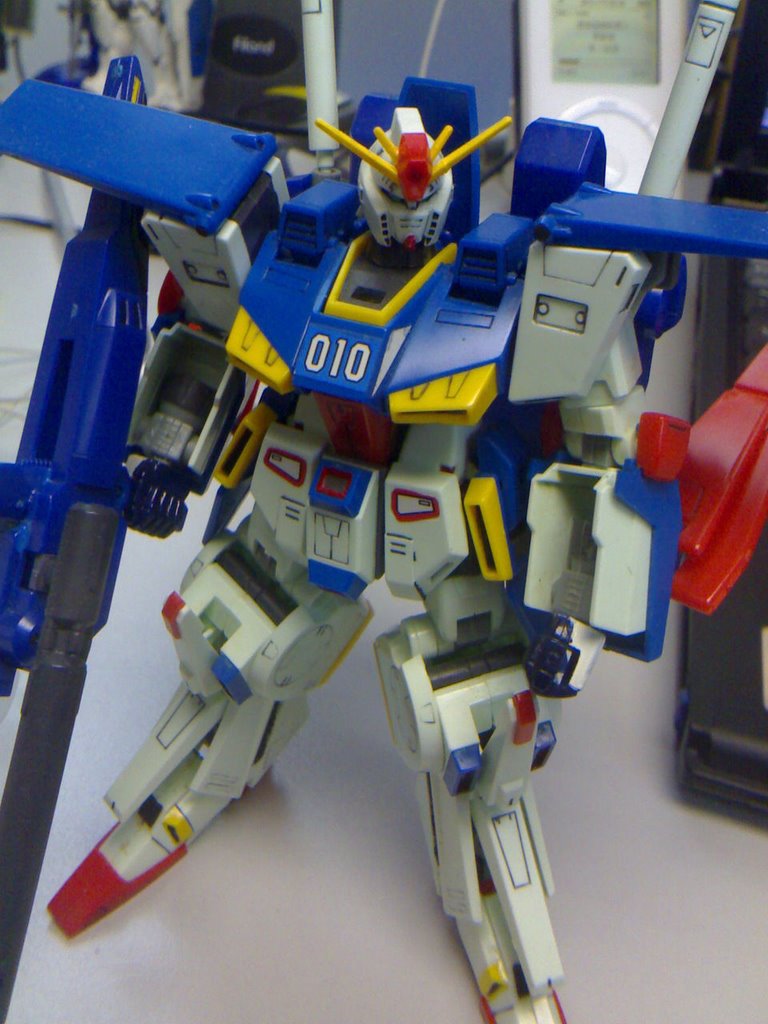
這張照片是在公司用放大鏡和N70拍的,對象是 Double Zeta Gundam HG 版,其比例為 1:144,頭部高度約 1CM(不連角):
不過日前發現了可以利用放大鏡去更改鏡頭來拍攝微距,雖然並非什麼大發現,而且坊間都有這類add-on賣,不過放大鏡在公司或書房都可以找到,都算是免費方案。最少不用黏貼奇怪的東西在電話上。
這張照片是在公司用放大鏡和N70拍的,對象是 Double Zeta Gundam HG 版,其比例為 1:144,頭部高度約 1CM(不連角):
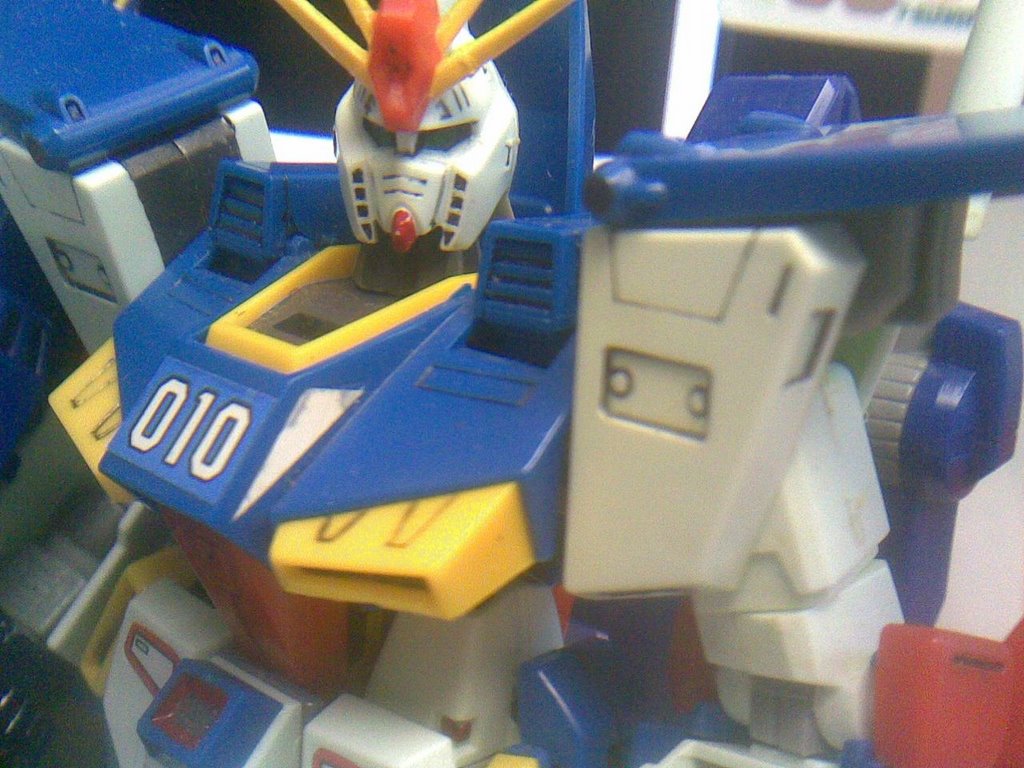
感覺有點糊,再來一張,你看你看,蠻清楚!
Thursday, January 19, 2006
Red Hat Linux 8.0 Part I
同事送了一套Ubuntu 5.10 Linux,單靠CD就能boot up,無需安裝,任何電腦都可以run Linux而無需鏟機。
「不如試下在舊notebook上run。」
已經裝在舊notebook上的Open Linux因版權問題停止支援(我是付錢買的),亦不支援notebook的sound card,有畫面無聲,現在有新的Linux,不妨一試。可是,搞了半天都無法執行,是機件故障麼?還是hardware型號太舊呢?或者因為它是十年前的產品……
後來又試下老友送的Red Hat Linux 8,單單安裝就用了三個鐘。安裝完可以順利boot up,但無論選擇登入GNOME或KDE都只有這個畫面,點解?還我三個鐘呀~

p.s.: my old laptop is Texus Instrument Extensa 900. It was sold to Acer on late 90s.
「不如試下在舊notebook上run。」
已經裝在舊notebook上的Open Linux因版權問題停止支援(我是付錢買的),亦不支援notebook的sound card,有畫面無聲,現在有新的Linux,不妨一試。可是,搞了半天都無法執行,是機件故障麼?還是hardware型號太舊呢?或者因為它是十年前的產品……
後來又試下老友送的Red Hat Linux 8,單單安裝就用了三個鐘。安裝完可以順利boot up,但無論選擇登入GNOME或KDE都只有這個畫面,點解?還我三個鐘呀~
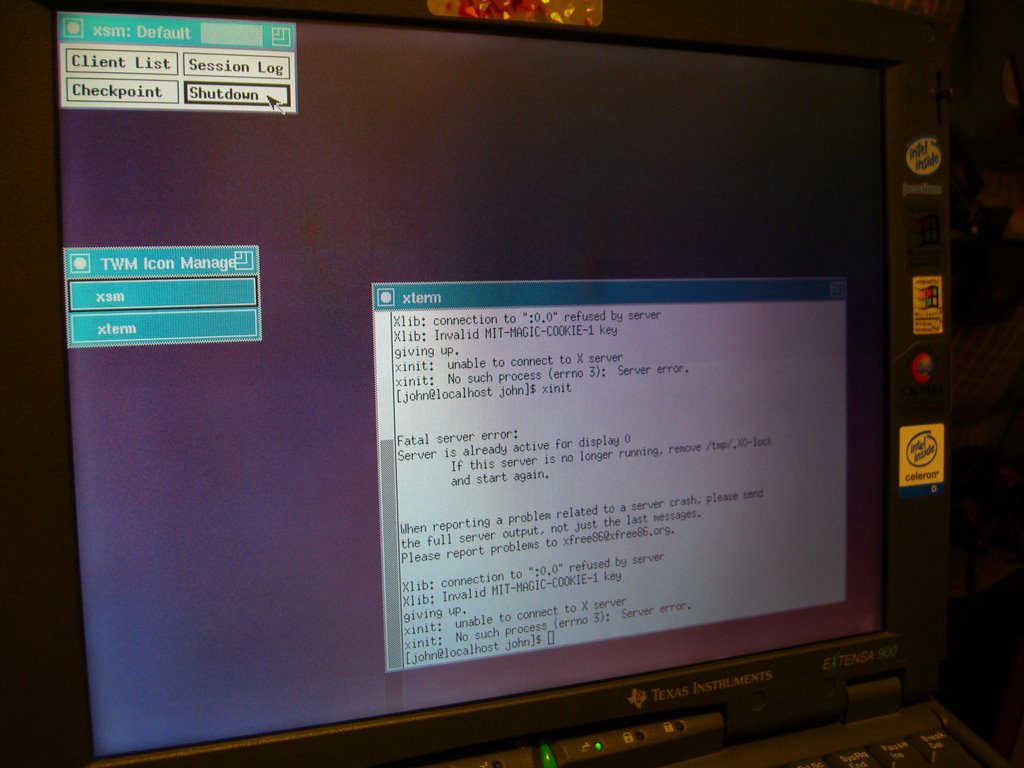
p.s.: my old laptop is Texus Instrument Extensa 900. It was sold to Acer on late 90s.
Thursday, November 10, 2005
Buffalo LAN Disk
今日晏收工,所以回家就唔再OT了。終於有時間SETUP 兩部BUFFALO了。原來條LAN線拉直都夠長,唔駛搵另一條。只是有點似架空電纜,在PRINTER上空飛過。睇晒D說明書,SETUP好,開始BACKUP。第一樣BACKUP當然係D相啦。大學D功課筆記都用CDR BACKUP好,但經常影相,很難經常BACKUP。一部畢化佬做NAS,另一部去BACKUP前者。雙重保險。
Saturday, July 30, 2005
Warranty Service
I want to send my old 120 GB harddisk back for service, before its 3 years warranty expired. For over one and a half years the harddisk was not working well. It will roars when spinning. That's scary.
I just registered at Hitachi's website. Now I've to send it back via mail. The troublesome job is to find some thick foam to wrap the harddisk. Netiher bubble wrap nor styrofoam peanuts is allowed. Otherwise, warranty will be voided immediately. The harddisk only worth just $300 but the cost of shipment and handling make it not worth the price. (see Hitachi Packaging instructions)
It might be easier for me to just throw it away rather than having it fixed. Sigh.
I just registered at Hitachi's website. Now I've to send it back via mail. The troublesome job is to find some thick foam to wrap the harddisk. Netiher bubble wrap nor styrofoam peanuts is allowed. Otherwise, warranty will be voided immediately. The harddisk only worth just $300 but the cost of shipment and handling make it not worth the price. (see Hitachi Packaging instructions)
It might be easier for me to just throw it away rather than having it fixed. Sigh.
Subscribe to:
Posts (Atom)
